Objective
Adding team members to your Vonage API account dashboard.
Applies To
- User Management
- Dashboard
Procedure
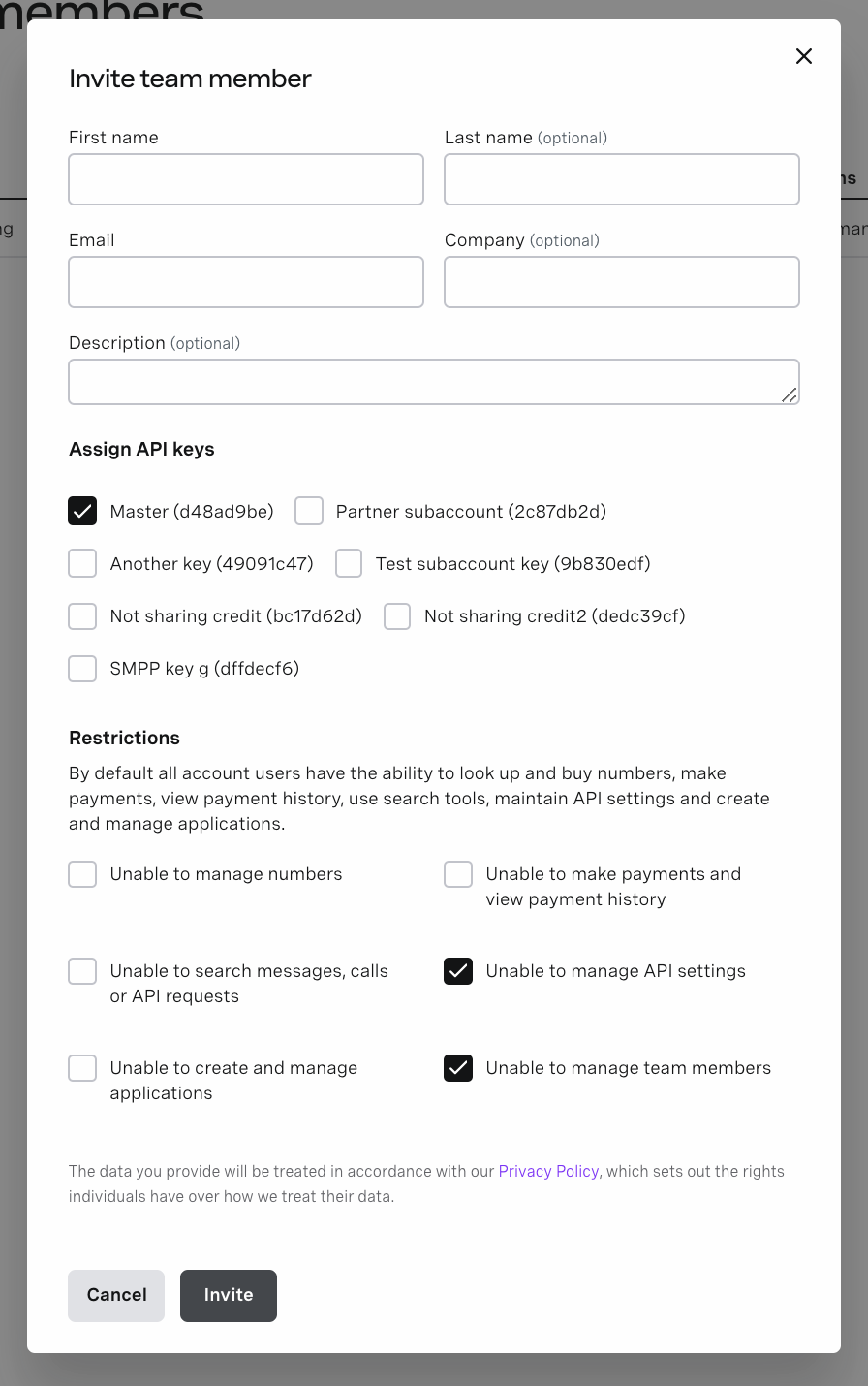
You can invite additional team members to your account from the Team Management page in your Vonage API account dashboard. This will send them an email invitation to sign up for a secondary account as a team member of your account on the Dashboard. Please note that you can only invite team members that don't have an account with us before.
Managing Permissions
When you invite a new team member, you can choose what level of access to give them. You can also edit an existing team member's permissions from the Team management page by clicking Edit (pencil icon).
Restrict Subaccounts
If you have multiple subaccounts (API keys), you can choose which subaccounts each team member should be able to view and manage.
If you've only just signed up for a Vonage API account, by default you will only have one Account (API key), you can request additional subaccounts by submitting a support request.
Restrict Features
In addition you can restrict access to specific features within the Dashboard. For example, you can prevent a specific team member from viewing and managing payment and billing information.
Additional Information
You can view more detailed technical information about users and subaccounts in the developer documentation on managing users.
Articles in this section
- Dashboard Log in Error "Issue with your account"
- Dashboard SMS Analytics Metrics Terminology
- How to Release an Existing Email Address for Reuse on Vonage Dashboard
- Can I invite a team member who already has a Vonage account?
- Not Receiving Password Reset Email – Vonage API Dashboard
- How many team members can I invite per day on the dashboard?
- How to set up TOTP Authentication for 2FA verification on the Vonage API dashboard.
- Are there countries where Vonage API does not operate?
- What do the parameters returned from the Dimension changed event from a session in Inspector tool mean?
- How can I add new users to receive emails for account alerts and notifications?